
Virtual Team-Building Experience
Real-Time Multi-Role
A collaborative platform for guided activities, group coordination, and corporate event flow.
Overview · Problem & Goals · Research · Design Process · Solution · Results · Learnings
Project Overview
Client
Confidential (Global corporation with >300,000 employees)
Team
UX Designers, Web/Backend Developers, 3D Artists, 2D/UI Artists, Product Manager, Product Owner, Client Stakeholders
ROLE / Responsibilities
UX Designer
- UX architecture for Participant, Facilitator, and Event Host
- User journeys, user flows, wireframes, interaction rules
- Activity structure (individual, turn-based, group tasks)
- Notification and timing system
- Group management logic (auto-balancing 4–5 participants)
- Instruction hierarchy and layout decisions
- Layered UI system for multi-role interaction
- ADD, user stories, benchmark analysis
- UX QA & refinement based on internal testing
Tools
- Figma
- Miro
- Teams
- Asana
- Microsoft 365
- Blender
Duration
~6 months (parallel design + development) | 2020-2021
Problem statement
The client needed a scalable digital platform to replace large, in-person team-building events. Existing video-call tools could not support structured activities, multi-role coordination, or real-time group interactions.
The platform required an intuitive way for participants, facilitators, and an event host to collaborate seamlessly across multiple phases.
Goals
- Support three role-specific interfaces and permissions
- Provide a 3D lobby for immersion and social presence
- Enable structured activities combining individual + group tasks
- Synchronize timing across dozens of groups
- Allow facilitators to monitor progress and assist groups
- Give event hosts control over phase transitions
- Deliver a flexible foundation for future activities and events
Research insights
Methods
- Benchmarking digital collaboration tools
- Reviewing event coordination workflows
- Discussions with event specialists
- Internal usability checks
- Accessibility review of early design proposals
Key insights
- Multi-role coordination requires clear timing indicators and readiness signals
- Participants need simple layouts and predictable instruction placement
- Facilitators require real-time visibility and “join call” flexibility
- Event hosts must manage group alignment before transitions
- Spatial audio improves the sense of presence in the 3D lobby
- Some user content must remain private unless participants choose to share
User personas
Participant:
An employee attending a virtual team-building event, needing simple navigation, clear instructions, and a predictable interface to complete individual and group tasks. Main constraints include varying digital skills, limited attention during long events, and reliance on facilitators for timing and clarification.
Facilitator:
A staff member guiding a group of 4–5 participants, needing real-time visibility of group progress, flexible access to calls, and tools to intervene when groups fall behind. Constraints include time pressure, managing multiple responsibilities, and keeping all participants aligned during transitions.
Event host:
The person orchestrating the full event, responsible for coordinating phase transitions, aligning dozens of groups, and managing content in plenary sessions. Needs a clear overview of facilitator readiness and smooth communication channels. Constraints include high complexity, strict timing, and ensuring synchronization across all teams.
Design process
1 Discovery
Mapped real event workflows and identified role responsibilities, timing dependencies, and major pain points in virtual collaboration.
2 Ideation
Explored layouts for layered 2D activities, notification flows, facilitator dashboards, and the event host control panel.
3 Flows & wireframes
Created multi-role user journeys and wireframes defining activity logic, group interactions, calls, timing bars, and instruction hierarchy.
4 Prototyping
Evaluated early Unity builds of the 3D lobby, spatial audio placement, and internal Figma click-through prototypes for activity flows.
5 Testing
Participated in internal tests validating instruction clarity, group timing, call behaviors, and facilitator-to-participant interactions.
6 Iteration & handoff
Refined layouts, flows, and timing rules; delivered the ADD, personas, wireframes, user flows, and logic documentation for final implementation.
Visual journey
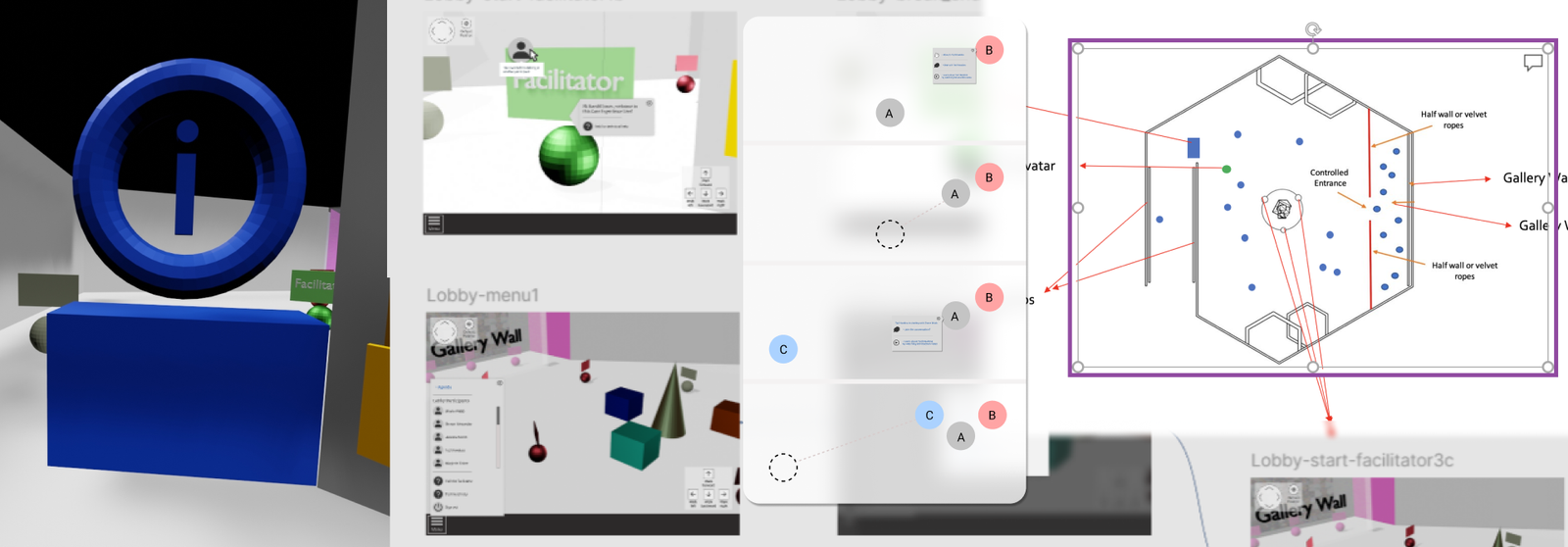
Early Structure & Constraints
High-level framing of event flow, role differences, technical constraints, and multi-user logic.
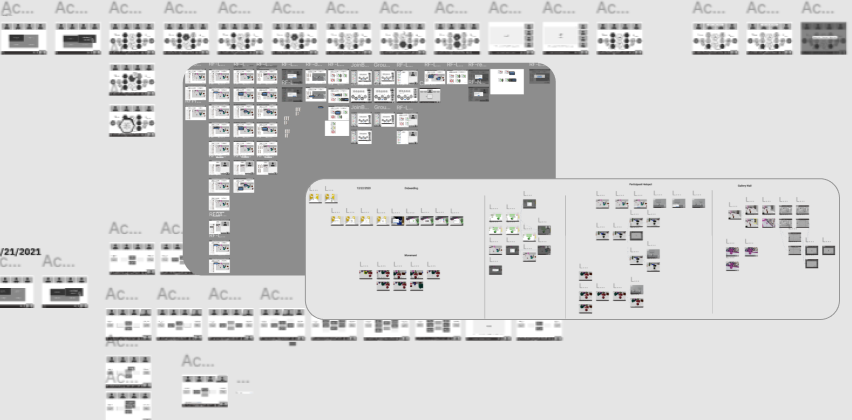
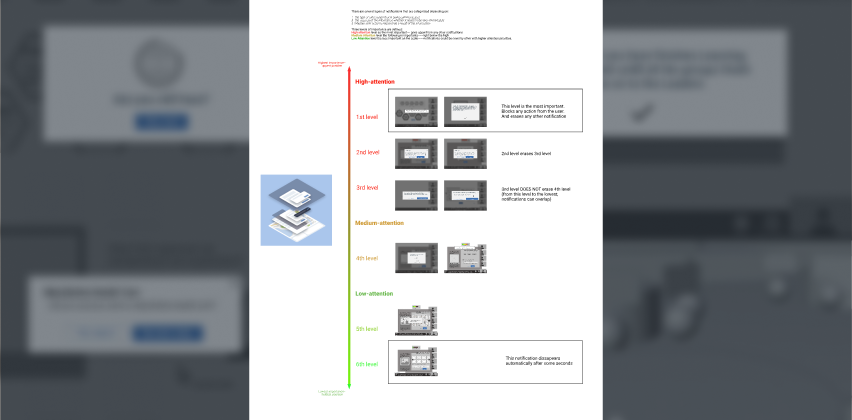
Experience Mapping
Mapping how users progress through phases, transitions, and multi-role interactions.
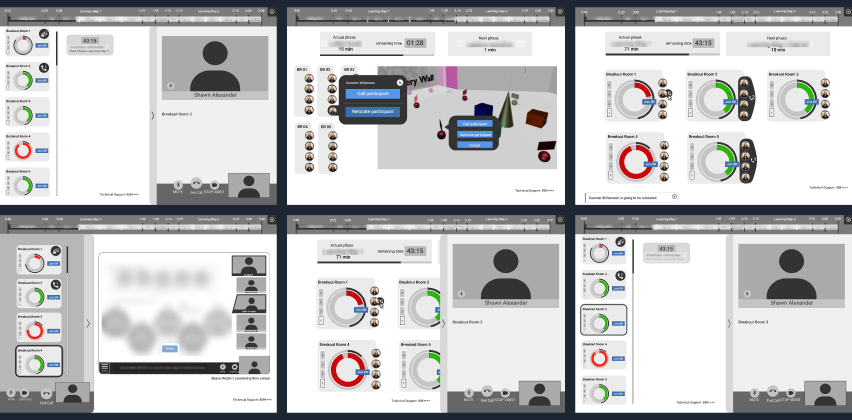
Wireframes
Core wireframes defining activity layouts, facilitator panels, notification logic, and timing indicators.
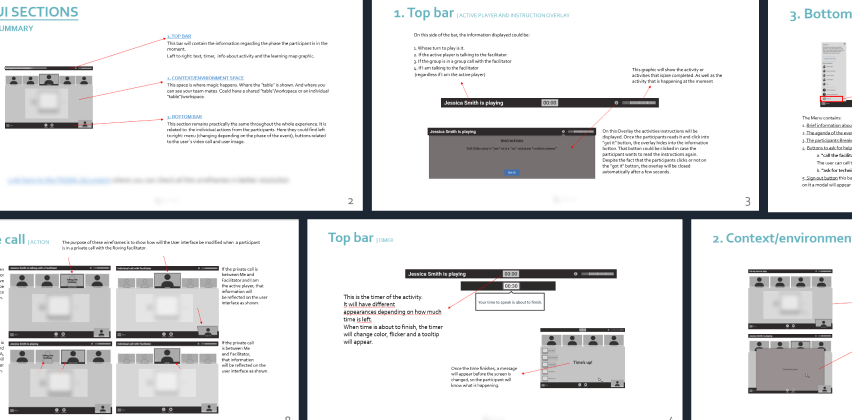
Design Decisions
Interaction and system-level decisions for group balancing, instruction hierarchy, permissions, and timing.
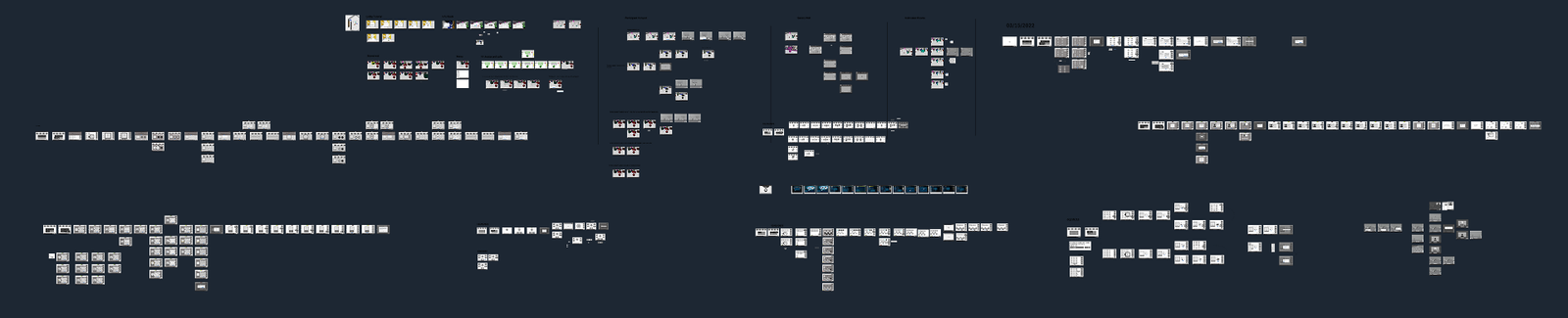
The solution
Key features
- Three role-specific interfaces
- 3D lobby with spatial audio
- Automatic group creation and balancing
- Structured activity flows (individual → group → debate)
- Facilitator dashboard for monitoring and calls
- Event Host panel for phase transitions
- Layered UI for instructions, navigation, and timing
- Selective sharing for user comfort
Technical decisions
- Hybrid 3D + 2D approach for accessibility
- Video calls integrated into activity interface
- Real-time sync across groups and roles
- Lightweight 3D assets for corporate laptops
- Notification-driven coordination model
Results & impact
Results
- Successfully deployed for a corporation with >300,000 employees
- Multi-role flows validated in internal events
- Smooth group timing and coordination
- Clear activity structure enabling consistent participation
Impact
- Enabled remote team-building at enterprise scale
- Improved facilitator oversight and event pacing
- Enhanced participant engagement vs traditional video platforms
- Provided a scalable foundation for future digital events
Key learnings
- Multi-role systems need strong communication hierarchy
- Timing indicators significantly reduce confusion
- Accessibility must be prioritized early, not after visual design
- Layered UI improves clarity in multi-user flows
- A 3D lobby enhances presence even without VR
Next steps
- Expand activity library
- Add analytics reporting for facilitators
- Automate content sharing and gallery updates
- Improve accessibility compliance
- Introduce adaptive timing and personalization
Confidentiality note
This case study is a reconstructed summary created under NDA. It excludes all proprietary client content, and any visuals shown are my own prototypes or placeholder examples.