
The Atelier (Experimental VR Creation Space)
An experimental VR space where users paint, sculpt, and deform 3D meshes in real time, built as a hands-on exploration of interaction design and Unity development.
Overview · Problem & Goals · Research · Design Process · Solution · Results · Learnings
Project Overview
Client
Personal project
Team
UX/UI designer (2D graphics and visual direction) and myself as UX designer and sole Unity developer.
Responsibilities
UX Designer & Unity Developer
- UX design and interaction design
- Full Unity development (all systems and scripts)
- VR locomotion and interaction model
- Tutorial and onboarding system
- Real-time painting system (shader-based)
- Physics-based sculpture system
- Real-time 3D mesh deformation system
- Integration and modification of 3D assets
- Performance considerations for standalone Quest 2
Tools
- Figma
- Unity
Duration
1 month
Problem statement
Creative tools in VR often focus on a single medium or interaction style. The goal of The Atelier was to explore how multiple forms of creation (painting, sculpting, and 3D modeling) could coexist in a single immersive space, while remaining intuitive for users and technically feasible on standalone VR hardware.
Goals
- Explore advanced real-time interactions in VR
- Build a complete experience end-to-end in Unity
- Experiment with creative expression beyond drawing
- Design intuitive interactions without complex UI
- Implement replayable, action-based tutorials
- Push technical limits within a short timeframe
Research insights
Methods
- Exploration of existing VR creative tools
- Rapid prototyping and iteration
- Informal peer testing during development
- Technical experimentation inside Unity
Key insights
- Users learn faster through action-based tutorials than static instructions
- Creative VR tools benefit from minimal UI and physical interaction metaphors
- Precision interactions require forgiving grab areas in VR
- Performance and asset optimization are critical for standalone headsets
User personas
Persona 1:
Curious VR users interested in creative experimentation. Comfortable exploring tools hands-on, but expecting intuitive interactions, immediate feedback, and guidance without technical complexity.
Design process
1 Discover
Explored possibilities for creative interaction in VR and identified three complementary creation modes: painting, sculpting, and mesh modeling.
2 Define
Structured the space into three distinct zones, each focused on a different creative interaction, supported by a shared onboarding system.
3 Ideate
Designed interaction concepts for physical painting, gravity-based sculpture, and vertex-level mesh manipulation.
4 Design
Sketched flows and interaction logic, then moved quickly into Unity to validate feasibility through implementation.
5 Build & Iterate
Implemented all systems directly in Unity, iterating based on usability, performance, and interaction feel.
6 Reflect
Evaluated technical limitations, interaction precision, and opportunities for future refinement.
Visual journey
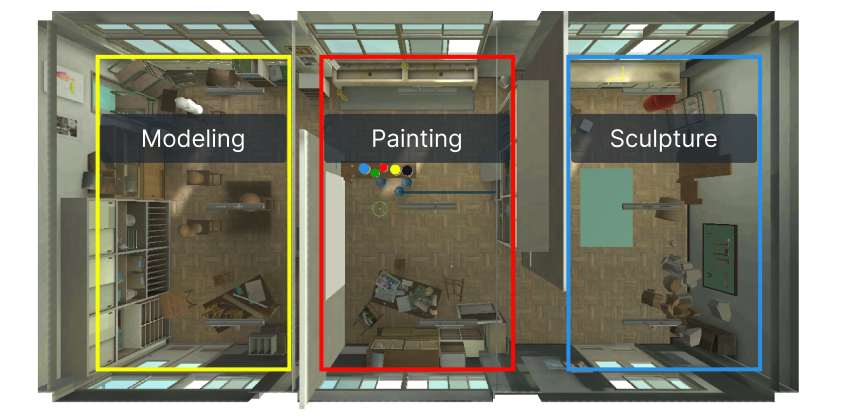
Spatial Layout & Zones
The environment is divided into three creation areas: painting, sculpture, and modeling.
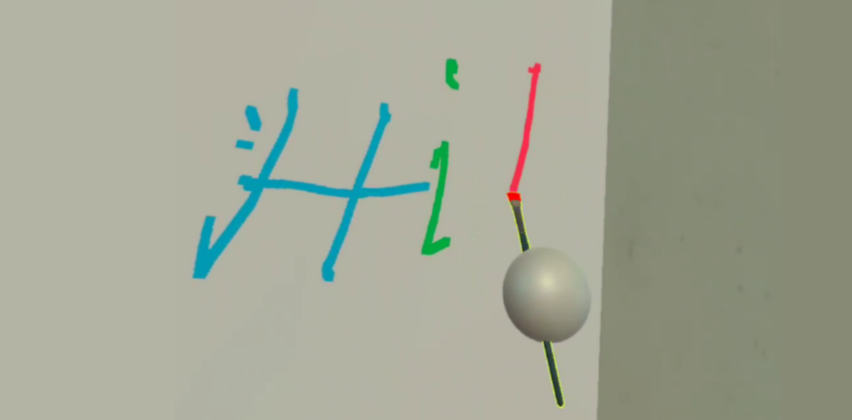
Interaction Prototypes
Early Unity implementations testing painting, physics interaction, and object manipulation.
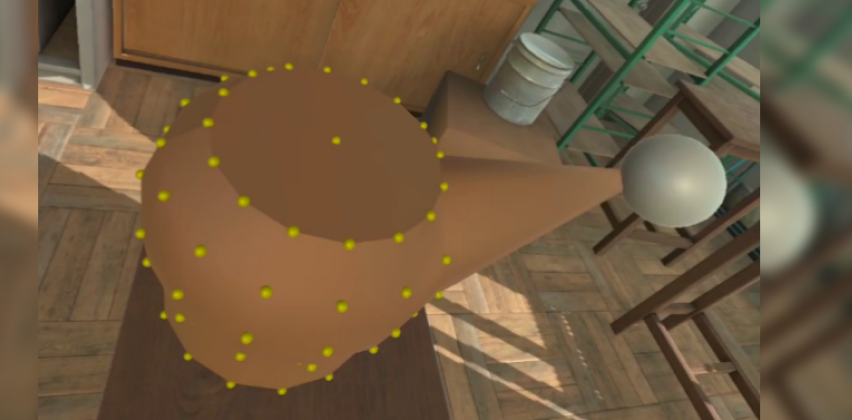
Advanced Systems
Implementation of real-time mesh deformation by manipulating vertex points directly in VR.
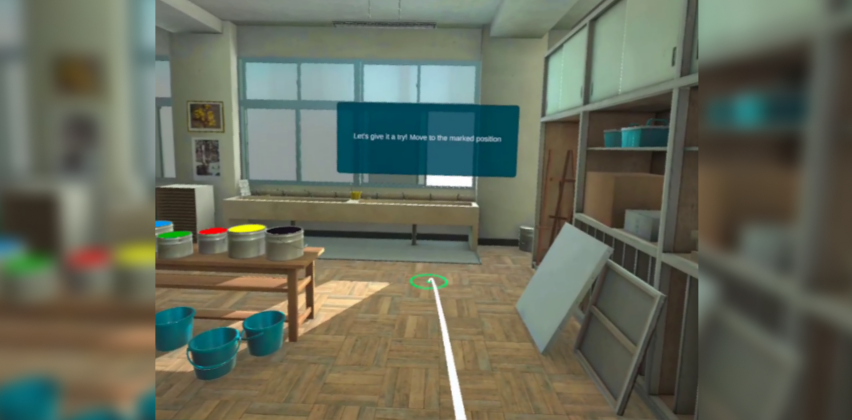
Guided Tutorials
Replayable, action-based tutorials that progress only when the user completes the required interaction.
The solution
Key features
- Three creative VR zones (painting, sculpting, modeling)
- Shader-based real-time painting on a canvas
- Physics-based object placement and gravity toggling
- Real-time mesh deformation via vertex manipulation
- Interactive tutorials for locomotion and tools
- Replayable onboarding for each area
Technical decisions
- Built entirely in Unity for Quest 2 standalone
- Custom scripts for all interaction systems
- Shader-based painting for performance
- Kinematic physics switching for sculpture area
- Minimal UI to keep focus on spatial interaction
Results & impact
Reults
- Fully functional VR prototype with all planned systems implemented
- Successfully ran on Quest 2 despite technical complexity
- Demonstrated feasibility of real-time mesh deformation in VR
Impact
- Significant growth in Unity and VR programming skills
- Deeper understanding of performance constraints on standalone VR
- Foundation for future personal and professional XR projects
Key learnings
- Real-time mesh deformation is feasible but requires careful optimization
- Precision interactions need larger grab areas in VR
- Action-based tutorials significantly improve onboarding
- Asset optimization is critical for standalone performance
- Building end-to-end systems accelerates learning dramatically
Next steps
- Replace assets with optimized, cohesive art direction
- Improve vertex grab precision
- Refine interaction feedback and polish
- Package the experience for download and public testing
- Add optional advanced creative tools