
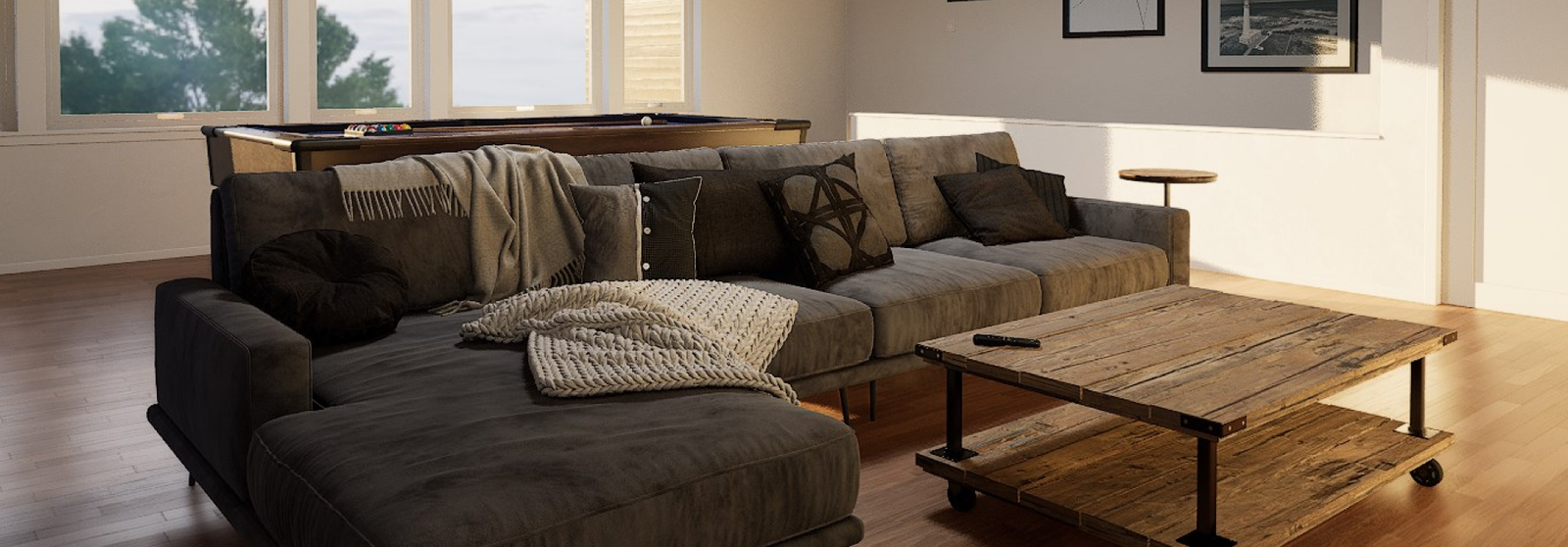
Real Estate VR Experience
A VR experience enabling luxury-home buyers to explore and personalize future properties in photorealistic detail before construction begins.
Overview · Problem & Goals · Research · Design Process · Solution · Results · Learnings
Project Overview
Client
Luxury real estate developer
Team
UX Designers, Product Owner, Scrum Master, Developers, 3D Artists.
Role / Responsibilities
UX Designer
- Competitive research (luxury real estate visualization)
- User stories for exploration, emotional engagement, and decision confidence
- Storyboards & flows for navigation and customization
- Interaction model for controller-based movement & POI teleportation
- Collaboration with 3D artists on performance vs. realism
- Visual/interactive cue design (lighting, materials, transitions)
- UX QA to validate pacing & comfort
- Onboarding and tutorial refinement for first-time VR users
Tools
- Figma
- Asana
- Teams
- Microsoft 365
- Blender
- Unity
Duration
~8–10 weeks
Problem statement
High-end home buyers struggle to understand architectural concepts and evaluate design choices before construction. Traditional 3D renderings or videos fail to create emotional connection or spatial confidence. The challenge was to deliver a photorealistic PC-VR experience that made navigating and personalizing a future home intuitive for non-technical audiences.
Goals
- Enable intuitive exploration of unbuilt homes in VR
- Achieve photorealistic fidelity (static baked lighting)
- Create emotional engagement through presence
- Support simple material/finish customization
- Make navigation effortless for non-gamers
- Build a modular flow adaptable to various properties
Research insights
Methods
- Competitive analysis (real estate visualization tools)
- Persona refinement from client interviews
- Internal VR comfort & navigation tests
- Constraint analysis (PC-VR performance + baked lighting)
Key insights
- Users expect high-end visual fidelity; any artifact breaks immersion
- Non-gamers require simplified movement and clear cues
- Customization must be visible in situ to build confidence
- Emotional resonance (lighting, ambience) influences decision-making
- Photorealism depends heavily on baked lighting → limits dynamic changes
User personas
Home buyer:
tech-comfortable but not a gamer; expects quality, clarity, and effortless navigation while exploring their future home.
Operator (tech strategist):
enthusiastic XR advocate who needs a smooth, reliable tool to showcase innovation in real estate presentations.
Design process
1 Discovery
Analyzed real estate sales workflows and pain points in communicating spatial concepts and finishes.
2 Define
Mapped user expectations and comfort levels, prioritizing non-technical navigation and emotional immersion.
3 Ideate
Created user stories, storyboards, and exploration flows combining intuitive menus with immersive interactions.
4 Design
Built wireframes for navigation, customization menus, transitions, and environmental cues.
5 Refine
Tested with internal users and clients to adjust onboarding, pacing, and controller behavior.
6 Reflect
Summarized learnings and established documentation models for future VR visualization tools.
Visual journey
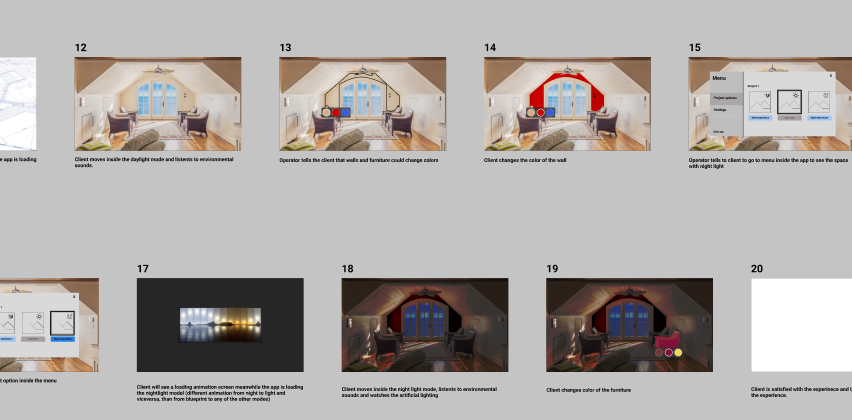
Storyboards & Early Flows
High-level frames outlining home exploration, lighting changes, and movement.
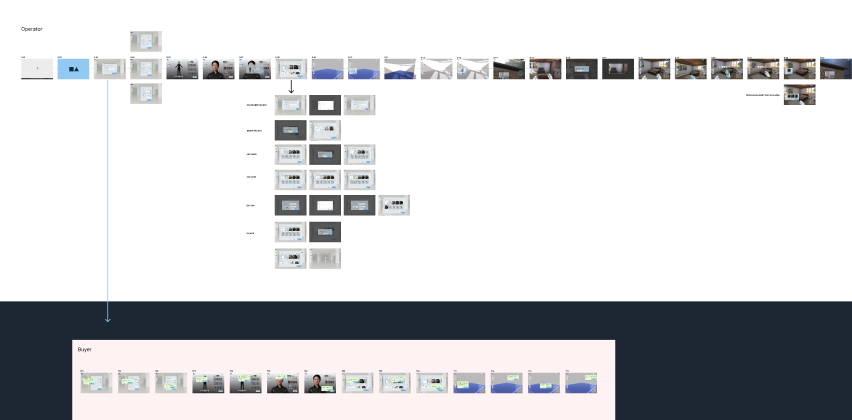
Wireframes (MVP + Role POVs)
Wireframes for buyer and operator views, defining layout, navigation, customization steps, and cues.
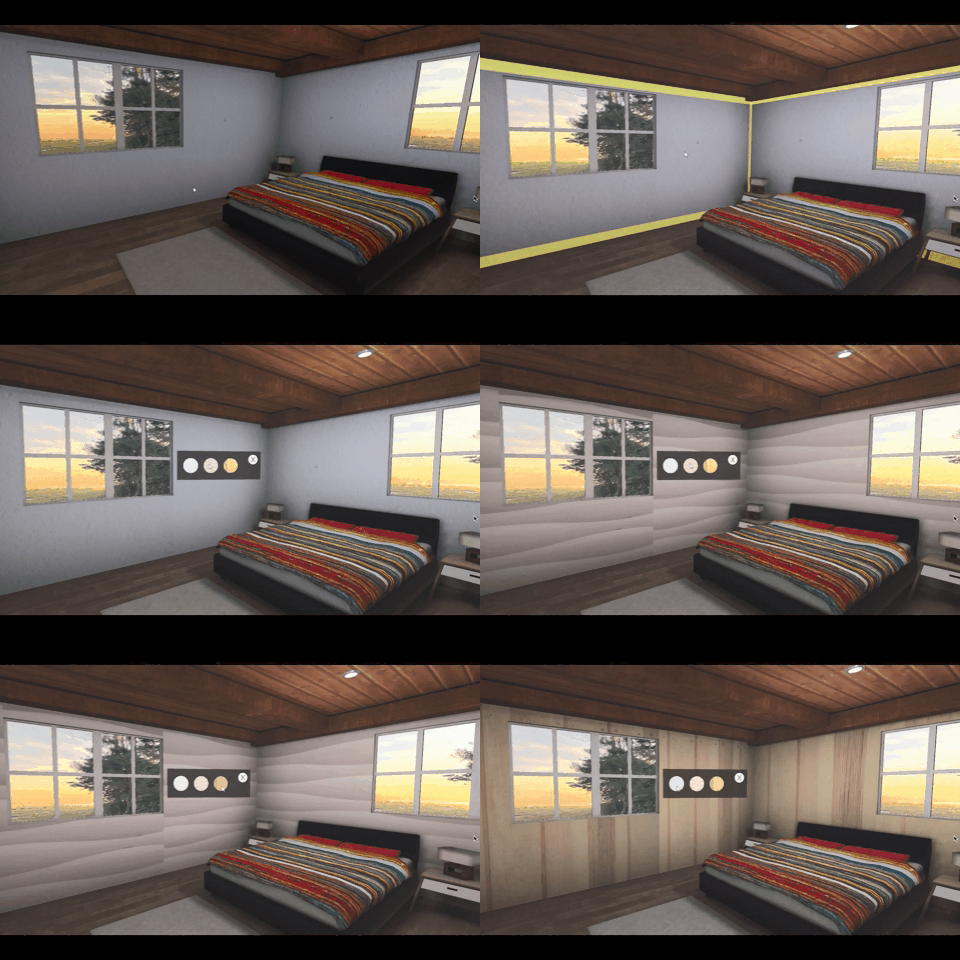
Interaction & Visual Cues
Animation tests validating highlights, day/night changes, and surface material previews.
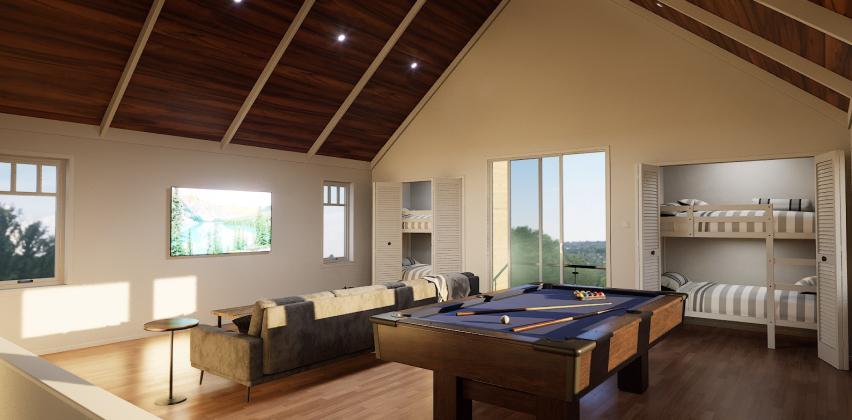
Final VR Experience
Screenshots/GIFs of the photorealistic digital twin implemented in Unreal Engine.
The solution
Key features
- Photorealistic digital twin (1:1 VR scale)
- Teleportation + controller-based movement
- Material and finish customization inside scenes
- Day/night lighting variations
- Spatial audio for ambience and immersion
- Modular narrative system for different home types
Technical decisions
- PC-VR using HTC Vive Pro 2 for high visual detail
- Baked lighting to achieve photorealistic realism
- Limited real-time dynamic changes for performance stability
- Optimized 3D assets for smooth movement
- Markers to simplify navigation for non-gamers
Results & impact
Results
- Delivered a functional, polished VR experience used in client presentations
- Enabled buyers to make confident design decisions pre-construction
- Successfully balanced performance with high-end photorealism
Impact
- Increased emotional engagement during home-buying presentations
- Improved client understanding of spatial layout and finishes
- Reinforced the value of immersive tools in luxury real estate
- Set foundational UX standards for future visualization solutions
Key learnings
- Non-technical users benefit from POI-based navigation
- Lighting can dramatically affect emotional response
- Photorealism limits real-time flexibility in VR
- Clean onboarding is essential for first-time VR users
- Cross-team collaboration is critical for performance/quality balance
Next steps
- Expand customization library (materials, furniture, lighting scenes)
- Add guided tours and multi-user viewing
- Explore mobile or standalone headset adaptations
- Enable real-time configuration sessions with sales teams
- Implement analytics for user behavior insights
Confidentiality note
This case study is a reconstructed summary created under NDA. It excludes all proprietary client content, and any visuals shown are my own prototypes or placeholder examples.